Easily update and manage
your PortableApps.com software
Overview
Portable Software Updater is an alternate solution to the official PortableApps.com launcher.
PSU strives to offer not only the same functionality, but also several unique features that are not available in the official launcher.
Being oriented on hidden information and tweaks, Portable Software Updater is intended for users looking for more control over their apps instead of a basic launcher.
PSU runs on all modern Microsoft operating systems (from Windows XP to 10) and stores settings in its folder (so, it's portable).
However, please keep in mind, this is a personal / unofficial project, it is not endorsed or supported by PortableApps.com.
If you have any suggestions, feel free to send them over and, if it is possible, they will be included in future builds.
PSU strives to offer not only the same functionality, but also several unique features that are not available in the official launcher.
Being oriented on hidden information and tweaks, Portable Software Updater is intended for users looking for more control over their apps instead of a basic launcher.
PSU runs on all modern Microsoft operating systems (from Windows XP to 10) and stores settings in its folder (so, it's portable).
However, please keep in mind, this is a personal / unofficial project, it is not endorsed or supported by PortableApps.com.
If you have any suggestions, feel free to send them over and, if it is possible, they will be included in future builds.
Want to try Portable Software Updater?
Features
Here's how Portable Software Updater makes it easy to manage all your portable apps

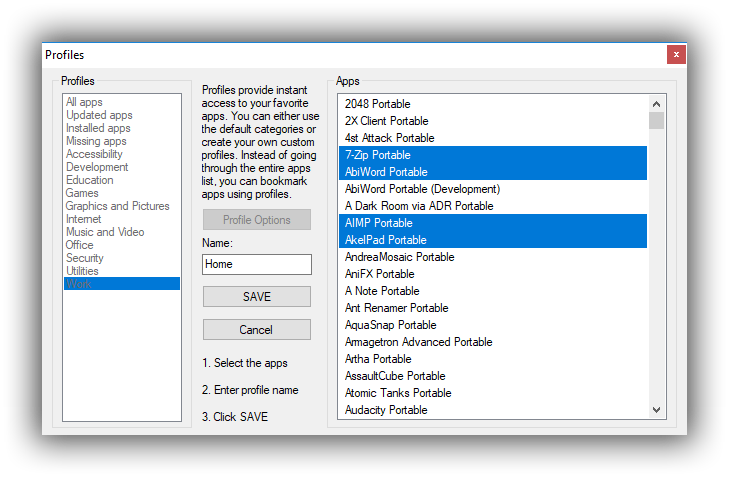
Profiles
Easily organize all available portable apps by using your own, custom profiles, which provide direct access to a selection of your favorite programs

Automatic Updates
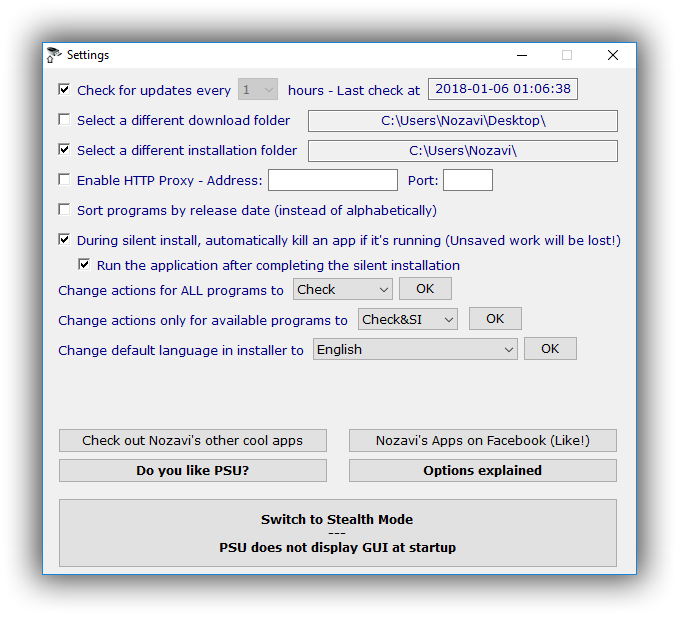
You can set Portable Software Updater to check for updates at specific time intervals, so you never miss a newly released version

Stealth Mode
You can run PSU from the tray menu, so it can check for updates and install new versions without interfering with your work
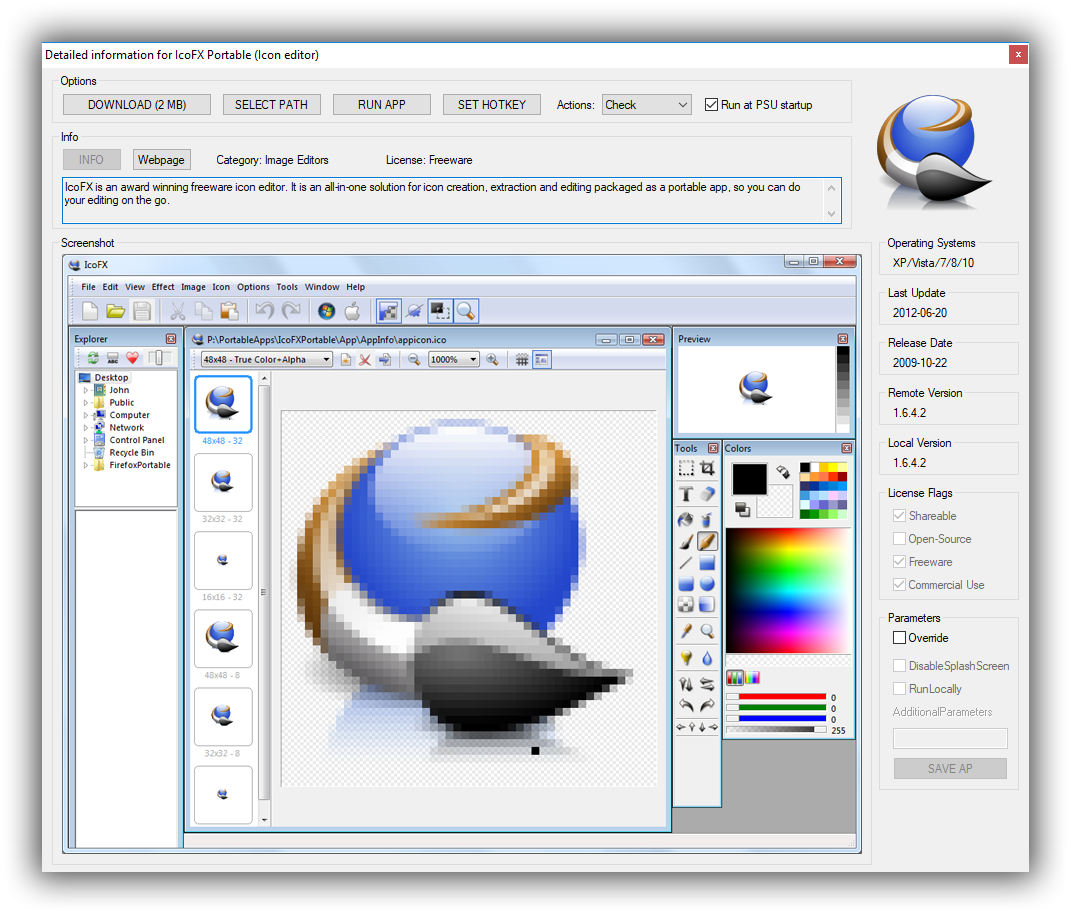
Portable Software Updater in pictures!
Extras
Get more out of Portable Software Updater with these useful Extras

Launch apps
You can set apps to be launched when you run Portable Software Updater, instead of running them individually
Assign hotkey
Assign a hotkey to launch a portable application, so you don't have to navigate to its location or open any windows / menus

Add more profiles
Activate Extras to triple the number of profiles you can create using Portable Software Updater